🌿 Parsley
Parsley is a template parser for WO. It's based on WOOgnl and thus supports it's inline binding syntax. It's a pure WO project, meaning it does not require Project Wonder (although, of course, it works fine with Project Wonder as well).
Usage
Note that If you're using wonder-slim you don't have to do do anything to add or enable Parsley. It's already there.
Parsley releases are deployed to the WOCommunity maven repository, so if you've got your environment set up for WO development just add this dependency to your pom.
<dependency>
	<groupId>is.rebbi.parsley</groupId>
	<artifactId>parsley</artifactId>
	<version>1.6.5</version>
</dependency>
Enabling Parsley in your project
Parsley is not enabled by default so to use it as your app's default template parser, you'll have to activate it somewhere during your application's initialization. For example in your Application's constructor:
public Application() {
	parsley.Parsley.configure()
		.inlineErrors( isDevelopmentModeSafe() ) // Inline error reporting, usually only in dev mode
		.controls( isDevelopmentModeSafe() )     // The in-page Parsley dev controls strip
		.register();
}
configure() returns a builder that amends the current configuration, so the framework can register Parsley once and an app can add to that registration later without losing it (e.g. Parsley.configure().elementFactory( "html", new MyHTMLElementFactory() ).register();). The builder supports:
parsley.Parsley.configure()
	.associationFactory( new MyAssociationFactory() )   // a custom association factory
	.elementFactory( "html", new MyHTMLElementFactory() ) // an element factory for a namespace (the "wo" namespace is always present)
	.inlineErrors( isDevelopmentModeSafe() )            // inline display of template/binding errors
	.controls( isDevelopmentModeSafe() )                // the in-page Parsley dev controls strip
	.excludeFromWrapping( SomeElement.class )           // exclude an element from proxy wrapping (by class)
	.excludeFromWrapping( "SomeElementName" )           //   …or by simple class name
	.register();
For convenience, ParsleyConfiguration.defaultDevConfiguration() and defaultProductionConfiguration() provide ready-made builders to start from — development mode turns on inline errors and the controls strip, production turns everything off.
Using Parsley with Project Wonder
WOOgnl points a few tag shortcuts at Wonder's own elements. To get the same with Parsley, add a parsley-tag-aliases.properties file to your app's src/main/resources:
localized = ERXLocalizedString
else = ERXElse
WOConditional = ERXWOConditional
The last line makes <wo:if> (and conditional/condition) use ERXWOConditional, which <wo:else> requires. See Using Parsley with Project Wonder for the full guide.
Enabling OGNL expressions
OGNL expression support (using the ~ prefix in binding values) is provided by the optional parsley-ognl plugin. Add its dependency to your pom:
<dependency>
	<groupId>is.rebbi.parsley</groupId>
	<artifactId>parsley-ognl</artifactId>
	<version>1.6.5</version>
</dependency>
Then register Parsley with the plugin's association factory:
parsley.Parsley.configure()
	.associationFactory( new parsley.ognl.ParsleyOgnlAssociationFactory() )
	.register();
The OGNL factory falls back to the default association factory for any binding that isn't an OGNL expression, so all the usual binding syntax keeps working.
Tag aliases
A tag in a template is resolved to an element through an alias map — a flat map of alias → target. This serves two purposes that are really the same operation:
- Shortcuts — a short, friendly tag name for an element:
str→WOString,if→WOConditional. - Element replacements — substituting one element class for another:
WOString→ERXWOString(the kind of swap ERExtensions does at runtime).
Because both are just name-to-name aliases, resolution is recursive: str follows str → WOString → ERXWOString to its final target, so a shortcut and a replacement compose automatically.
Aliases are declared in parsley-tag-aliases.properties resources. Parsley ships its own built-in shortcuts this way, and a framework or app contributes its own simply by dropping a parsley-tag-aliases.properties file into its src/main/resources. Every copy of the file on the classpath is loaded — each entry is alias = target:
# An app or framework's parsley-tag-aliases.properties
WOString = ERXWOString
myWidget = com.example.MyWidgetElement
If the same alias is mapped to different targets by different files, the first registration stands and the conflicting one is ignored with a warning (classpath order isn't reliable, so Parsley doesn't silently pick a winner).
Why?
To get nice inline error messages when template parser errors occur (rather than huge stack-tracey exception pages). Currently, this only applies when you attempt to use an element/component that doesn't exist and for handling UnknownKeyEception (badly formed keypaths in bindings) and WODynamicElementCreationException which for well designed elements will cover things like wrong binding configuration.
Actually, this isn't the real "why" of the project. But it's currently the nicest byproduct visible to the user, making for a good cover story.
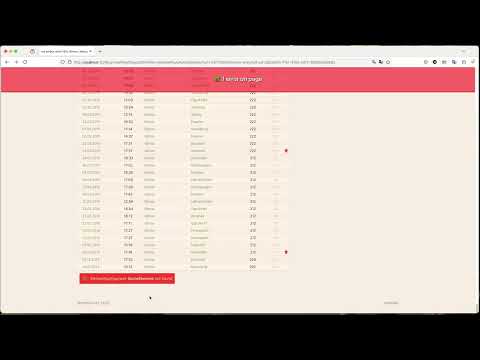
A little video demonstration
Differences from WOOgnl
- OGNL expressions are supported via the optional
parsley-ognlmodule (see below). - We don't support WOOGnl's
parseStandardTagsbehaviour. - We don't support tag processors (WOOgnl's
<wo:not>being an example use). Never used them but the idea isn't that bad. However functionality of that kind needs a little work in the parser. - For inline constant bindings, only exactly
$trueand$falsewill get interpreted as booleans (these were case insensitive in WOOgnl).
Release notes
See CHANGES.md.